

5 Tasks Where AI Makes You Slower (Not Faster)
5 tasks where deterministic code wins every time

I asked Claude to scan my codebase for hardcoded API keys and secrets.
Twenty minutes later, I had a list. Two items. Looked thorough.
Then I ran Bandit and detect-secrets. Four items, including the two Claude found plus two it missed. In under a second. And they run automatically on every commit now, no prompting required.
That’s when it clicked: I wasn’t using AI strategically. I was using it lazily.
I’m Not an AI Skeptic
Let me be clear: I use AI for 80% of my coding workflow. Claude Code is open on my machine right now. I’ve tested 59 AI coding tools and written extensively about the ones that actually work.
This isn’t an anti-AI post.
But I noticed something strange. My fastest shipping weeks weren’t when I used the most AI. They were when I was strategic about where AI belong and where it doesn’t.
Devansh nailed it recently: “Putting determinism in GenAI systems is such a cheat code. It sounds like a reduction in capability but the speed of iteration it unlocks allows you to layer more complex solutions.”
That’s exactly what I discovered. The developers shipping fastest aren’t anti-AI. They’re strategic about the AI/deterministic boundary.
The Hidden Cost Nobody Measures
Here’s what happens when you use AI for everything:
The overhead adds up. Writing prompt. Reviewing output. Testing edge cases. Rewriting prompt. For simple, well-defined tasks, this overhead exceeds just writing the code. Not AI’s fault. Wrong tool for the job.
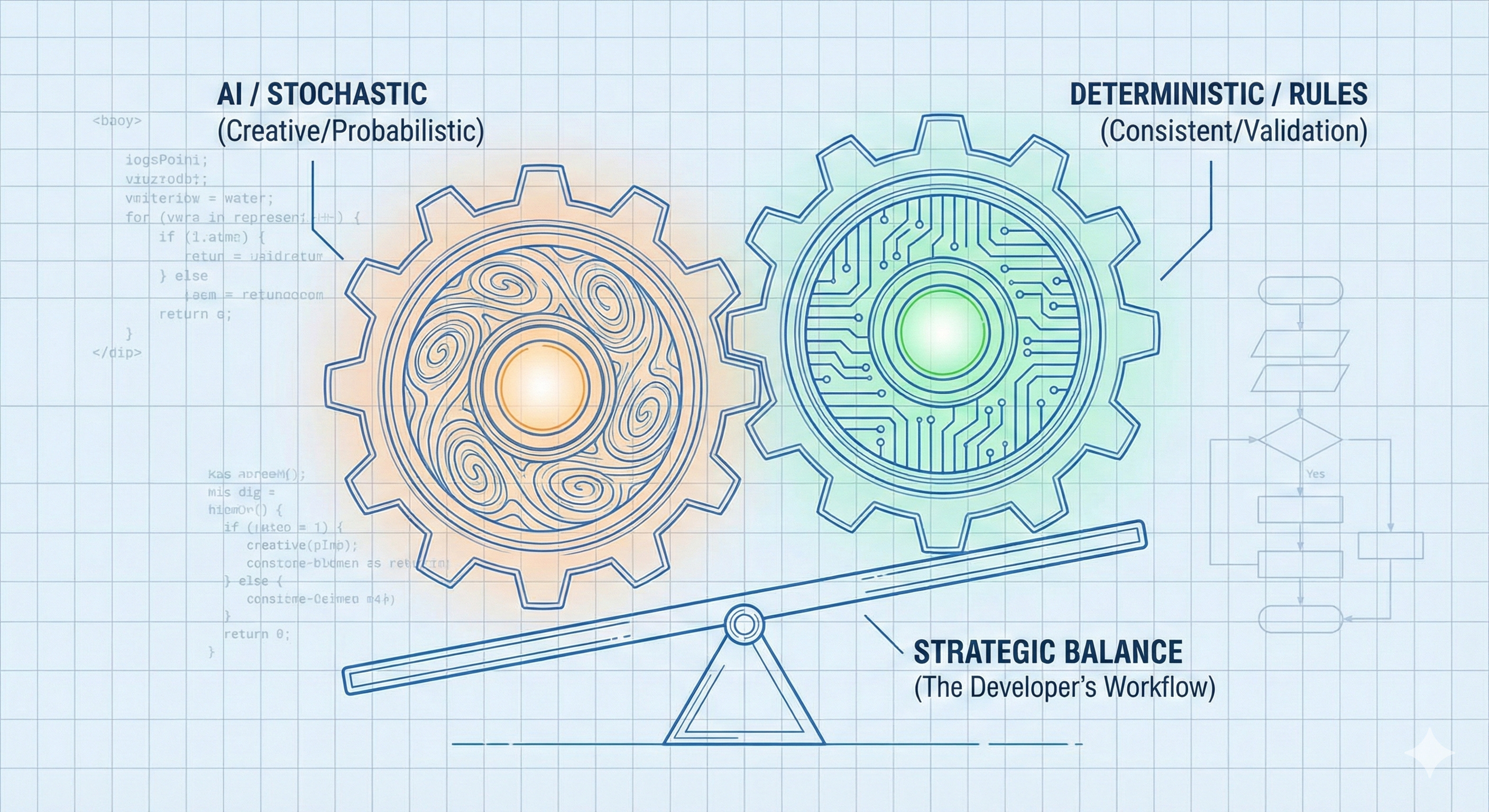
The stochastic problem. LLMs are probabilistic by design. That’s their superpower for creative tasks. But production validation needs certainty. 99.9% isn’t good enough for auth checks. Different tools for different jobs.
The integration tax. AI generates beautiful standalone code. But your system needs consistency: config, state, business rules. I wrote about this before—80% of problems are in the plumbing, not the AI.
I was building my RAG system and spent 30 minutes having Claude validate my config loading logic. Then I realized: Pydantic would have done this in 10 lines with zero ambiguity. I wasn’t being strategic. I was being lazy about tool selection.
Let’s start with the most obvious one.
Task #1: Code Quality Enforcement
The Rule: If the problem has known rules that can be encoded → use deterministic tools.
I used to ask Claude to review my Python files. Catch unused imports. Find type mismatches. Flag formatting issues.
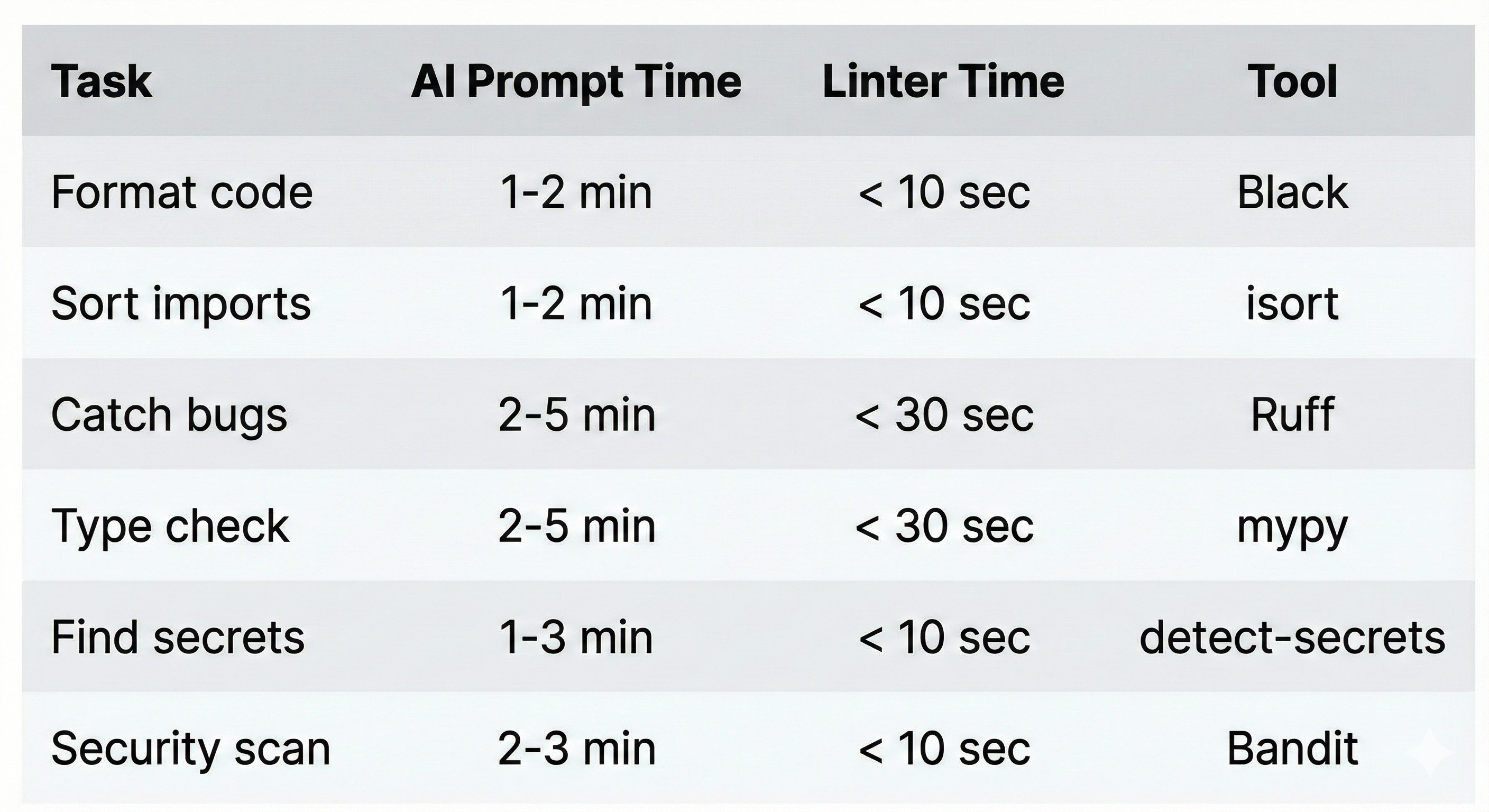
It worked. Sort of. Claude would find most issues. But “most” isn’t good enough when Ruff finds all of them in 3 seconds.
Here’s the stack that replaced my AI prompting for code quality:
Why AI fails here:
LLMs are probabilistic. Linters are exhaustive.
Claude catches most issues. Ruff catches all of them. Claude’s output varies run to run. Linters are perfectly consistent. And linters run automatically on every commit—no prompting required.
The test: If the rules can be encoded in a config file → don’t use AI.
The twist: Use AI to help you SET UP the linters. Configure the rules. Write the pre-commit config. That’s creative, one-time work. Then let deterministic tools enforce it forever.
I wrote about the 7 pre-commit hooks that changed my workflow in a previous post. This is the philosophy behind why they work.
That’s the obvious one. But the next four categories are where developers lose hours every day without realizing it.
